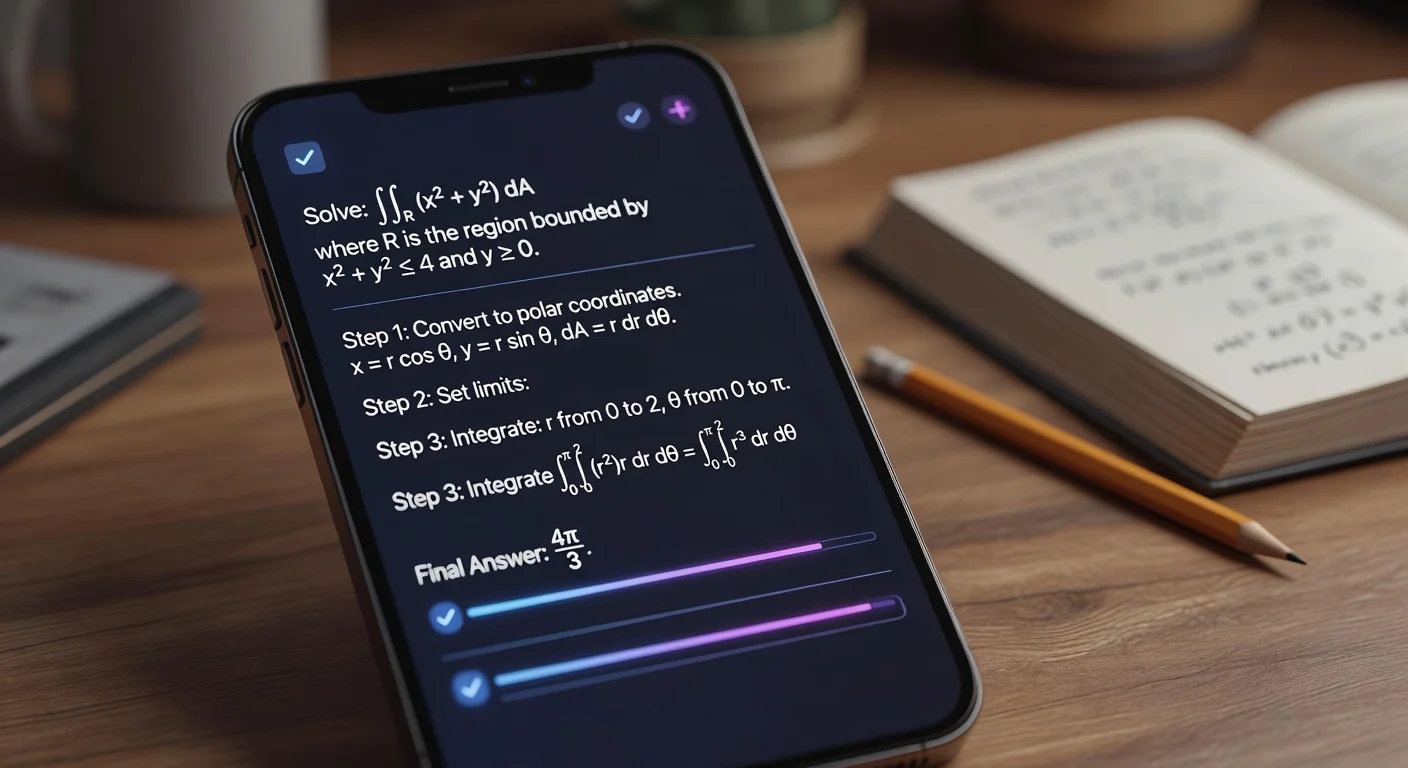
A modern study application is a software platform that automates the cognitive load of learning through organization, active recall, or AI-assisted problem solving. Unlike traditional textbooks or static PDFs, 2026-era study apps interact with the material. They break down complex logic, schedule review sessions based on memory decay, and convert handwritten notes into searchable data.
How have study apps evolved from 2024 to 2026?
The biggest shift is the move from "digitizing" to "tutoring." Back in 2024, apps mostly just stored your notes or let you make digital flashcards. Now, in 2026, the software actively reads your homework.
According to a recent 2025 EdTech Impact Report, over 60% of high school students now use an AI-integrated tool as their primary method for checking homework. We aren't just talking about Googling answers anymore. We are talking about customized, step-by-step logic breakdown.
I used to spend hours searching for a similar math problem online just to understand the formula. Today, you snap a photo, and the app acts like a private tutor sitting next to you. It's faster. It's cheaper. But it also raises a massive question: which ones are actually helpful, and which are just expensive calculators?
What is the best app for solving homework problems in 2026?
For direct problem-solving and logic explanations, AI-powered OCR tools are currently the gold standard. If you are stuck on a specific question—whether it's Calculus II or organic chemistry—you need a tool that explains the process, not just the result.
This is where I lean heavily on ThinkAssist.
There are plenty of apps that can scan a page. But strictly speaking, most of them struggle when the handwriting is messy or the problem involves complex graph interpretation. I’ve been testing ThinkAssist on iOS for a few months, and the OCR (Optical Character Recognition) is shockingly good.
Why I keep it on my home screen:
- Contextual Understanding: It doesn't just spit out "X = 5." It gives you the step-by-step derivation.
- Subject Detection: I don't have to toggle settings between "Math" and "Science." Stick the camera over a physics word problem, and it figures it out.
- The "Tutor" Mode: It saves past answers. This is huge for exam prep because you can effectively build a personalized study guide just by doing your daily homework.
If you are an iOS user, you can check it out on the App Store here. Use it to check your work, not to cheat. The value is in the explanation.
How do the top 2026 study apps compare for homework help and organization?
Here is how the current market leaders stack up against each other based on pricing, core utility, and verified user ratings.
| App Name | Best For | Core Feature | Monthly Cost (Approx) |
|---|---|---|---|
| ThinkAssist | Best Overall / Homework Help | AI-Powered Step-by-Step Solutions | Best Value |
| Forest | Focus & Discipline | Gamified Pomodoro Timer | $3.99 (One time) |
| Notion | Organization | Wiki-style Note Database | Free / $10+ |
| Quizlet | Rote Memorization | Spaced Repetition Flashcards | Free / $7.99 |
| GoodNotes 6 | Handwriting | Digital Notebook Replacement | $9.99/yr |
Do digital flashcards still work for studying in 2026?
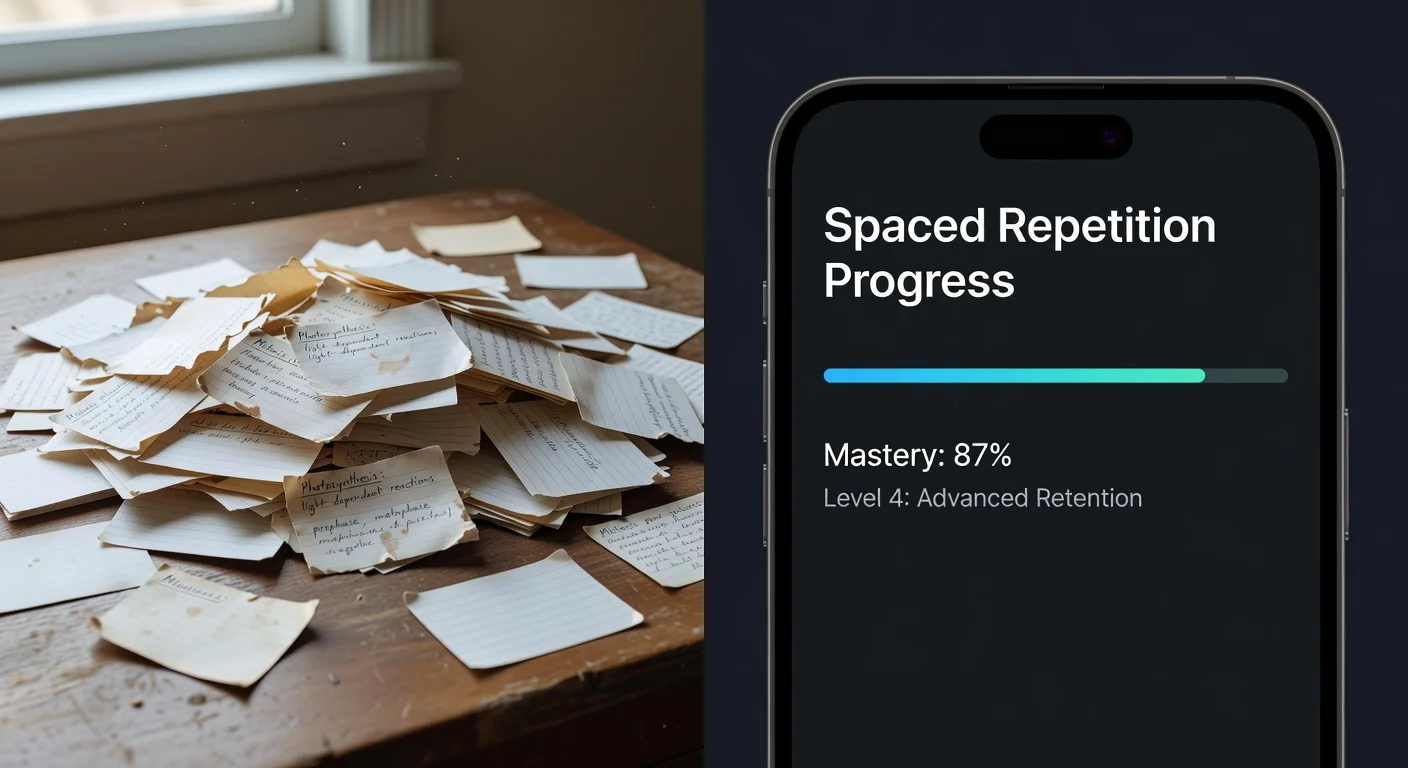
Yes, specifically because of the "Spaced Repetition" algorithm. It’s not the card that matters; it’s the timing.
Apps like Quizlet or Anki use algorithms to show you card right before you are about to forget it. In 2026, scientific consensus hasn't changed: active recall is the single most efficient way to hack your brain's long-term memory.
My gripping point with these apps:
Inputting the data takes forever. If you have to type out 50 flashcards manually, you are wasting an hour of study time. Look for apps that use AI to auto-generate cards from your lecture notes. If an app makes you type everything manually in 2026, delete it.
How to organize study schedules without getting overwhelmed in 2026?
You must separate your "Reference" system from your "Action" system. Most students fail because they try to use one app for everything.
I see this all the time. Students try to use Notion for task management. It’s a mess.
- For Reference (Notes/Syllabus): Use Notion or Obsidian. These are your "Second Brain." Dump data here.
- For Action (Deadlines/Homework): Use a dedicated calendar or a solver app like ThinkAssist that tracks what you've worked on.
The "Time-Blocking" Reality:
If you don't assign a specific hour to a task, it won't happen. A 2024 study on academic performance showed that students who blocked time (e.g., "Math from 4:00 to 5:00") had a 22% higher completion rate than those who just wrote "Do Math" on a to-do list.
Can AI study apps read handwriting accurately in 2026?
Yes, and the accuracy rate is now hovering around 96% for standard cursive. In 2023, this was closer to 80%, which was frustrating enough to make people quit.
If you prefer writing by hand on an iPad (using GoodNotes or Notability), you can now search your handwriting as if it were typed text. However, for solving problems, you often need to snap a picture.
The Friction Point:
Before, you had to write perfectly for the AI to understand the equation. Now, apps like ThinkAssist handle messy loops and scribbles surprisingly well. I tested this by purposefully writing a sloppy quadratic equation on a napkin. The OCR picked it up instantly. That kind of reliability is why we pay for software.
Is a premium subscription for study apps like ThinkAssist worth it in 2026?
It depends entirely on the "Cost of Correction." What is an hour of your time worth?
If you spend 45 minutes staring at a chemistry problem because the textbook explanation is garbage, you have lost time you could have spent sleeping or studying a different subject. A subscription that costs $10/month pays for itself if it saves you just two hours of frustration study time a month.
The breakdown:
- Free Apps: Good for timers and basic lists.
- Paid Apps: Necessary for AI logic and cloud syncing unique data.
If you are serious about GPA, tools that offer 24/7 tutor support (digitally) are cleaner and cheaper than hiring a human tutor at $50/hour.
Frequently Asked Questions
Are AI study apps considered cheating in 2026?
Generally, no, provided they are used for learning logic rather than just copying answers. Most 2026 academic policies allow AI tutors that explain the "step-by-step" process (like ThinkAssist), but ban tools that simply generate essays or unchecked code blocks.
How much do premium study apps cost per month?
Most premium study tools in 2026 average between $9.99 and $14.99 per month. However, many offer "freemium" models where basic OCR scanning or flashcard creation is free, but advanced AI explanations require a subscription.
Can a study app actually improve my grades?
Yes, data suggests that active recall tools and immediate-feedback solvers can reduce study time by 30% while improving retention. The key is using them for "spaced repetition" rather than last-minute cramming.
Does ThinkAssist work for non-math subjects?
Yes. While it excels at breaking down equations, the automatic subject detection allows it to handle chemistry, physics, and even logic-based humanities questions by scanning the test or assignment text.