

Wolfram Alpha is a computational knowledge engine that solves complex STEM queries by executing symbolic algorithms over curated data rather than scraping web pages. The platform computes exact equations, draws 3D plots, and analyzes dataset queries instantly on desktop or mobile browsers. While the basic web interface shows free final answers, accessing intermediate step-by-step solution breakdowns requires a Wolfram Alpha Pro student subscription costing $5.00 per month when billed annually or $7.50 per month on a monthly plan.
While Wolfram Alpha excels at high-level symbolic calculations on a computer, high school and college students often need a faster photo-based mobile workflow. If you want to snap a picture of any handwritten or printed problem on iPhone and get step-by-step explanations with automatic study guide organization, ThinkAssist handles mobile homework solving on iOS.
When you need exact symbolic math and step-by-step calculus solutions
Wolfram Alpha handles advanced symbolic computation by using the underlying Wolfram Language to execute exact algorithmic evaluations. Unlike standard graphics calculators that approximate answers using numerical rounding, the system evaluates exact algebraic fractions, symbolic limits, derivatives, and matrix operations.
Input: derivative of x^3 * sin(x)
Output: x^3 * cos(x) + 3 * x^2 * sin(x)
How do step-by-step solutions work in Wolfram Alpha Pro?
Step-by-step solutions break down complex calculus and algebra problems into individual rule applications like the chain rule or integration by parts. When you click the "Step-by-step solution" button on a query, Pro users see each intermediate transformation alongside a short explanation of the math rule applied.
The engine also offers a "Hint" button if you want to attempt the next step yourself before revealing the full line. This setup prevents students from simply copying answers without understanding the underlying steps.
Can Wolfram Alpha solve differential equations and integrals?
Yes, Wolfram Alpha solves ordinary differential equations, partial differential equations, indefinite integrals, and definite double integrals. The engine processes inputs typed in standard mathematical notation or plain text inputs like "integrate x^2 e^x dx".
For definite integrals, the platform displays the exact symbolic answer, a step-by-step integration path, an interactive plot of the bounded area, and numerical approximations. Students reviewing advanced course material can consult our guide on AP Calculus and math problem solvers to compare symbolic computational tools against standard calculators.

Best for university physics formulas and chemistry stoichiometry
Wolfram Alpha operates as a computational data repository for physics equations, physical constants, chemical elements, and thermodynamic properties. You can input natural language queries like "terminal velocity of a 70kg skydiver" or "stoichiometry 5g Na + Cl2" to receive direct calculated values.
According to the official Wolfram Alpha entry on Wikipedia, the system runs on built-in computational data collections compiled by staff experts rather than indexing third-party web text.
How does Wolfram Alpha handle physics units and constants?
Wolfram Alpha automatically normalizes metric and imperial units across complex multi-variable physics equations. If you calculate kinetic energy using mass in pounds and velocity in miles per hour, the engine computes the result directly in Joules while showing unit conversions.
The platform stores physical constants like Planck's constant, gravitational acceleration, and permittivity of free space. Typing "gravitational force between Earth and Moon" immediately pulls real orbital radii and masses to output the force vector in Newtons. For students preparing for advanced tests, our AP Physics 1 review guide breaks down essential formula strategies alongside digital solvers.
Can you query chemical formulas and reactions?
Yes, Wolfram Alpha balances chemical reactions, calculates molar masses, determines reaction stoichiometry, and displays electron configurations. Entering a formula like "H2SO4 + NaOH" yields the balanced equation, total molecular weight, melting point, density, and safety data.
Input: 10g Fe2O3 + Al -> Fe + Al2O3 balance and stoichiometry
Output: Fe2O3 + 2 Al -> 2 Fe + Al2O3
Yield: 6.994 g Fe produced from 10 g Fe2O3
Best for checking custom math inputs using natural language processing
Wolfram Alpha uses semantic natural language processing to convert unstructured text inputs into executable Mathematica code. You do not need to memorize rigid computer coding syntax to run complex evaluations.
The single input box accepts standard keyboard text, copied LaTeX syntax, and loose math phrases.
Natural Text: solve 2x + 5 = 15
Mathematica Translation: Solve[2*x + 5 == 15, x]
Result: x = 5
What math syntax does Wolfram Alpha accept?
Wolfram Alpha accepts standard keyboard symbols, LaTeX math code, and informal text phrases like "plot root of x". The engine automatically interprets carets (^) for exponents, forward slashes (/) for division, and asterisks (*) or implicit spaces for multiplication.
If your entry contains ambiguous syntax, the output page explicitly displays an "Input interpretation" block. This box shows how the server parsed your text so you can confirm the computation matches your homework prompt.
How does Mathway compare to Wolfram Alpha?
Mathway functions primarily as a targeted algebra and calculus solver, whereas Wolfram Alpha operates as a broad scientific computational engine. Mathway presents an interface designed to yield quick step-by-step solutions for specific math worksheets, while Wolfram Alpha yields additional scientific background, related differential equations, and dynamic data plots.
The official Mathway platform charges a monthly subscription to reveal step-by-step mathematical steps. Wolfram Alpha offers broader multi-subject coverage including chemistry, physics, history, and economics, making it a comprehensive research reference for STEM majors.
| Feature | Wolfram Alpha | Mathway |
|---|---|---|
| Core Focus | Broad STEM Computation & Data | Specialized Math Solving |
| Input Method | Text, LaTeX, Math Keyboard | On-screen Math Keyboard, Camera |
| Non-Math Subjects | Physics, Chemistry, Finance | Math Only |
| Free Tier Output | Final Answer & Basic Plots | Final Answer Only |
Do teachers recommend Photomath for students?
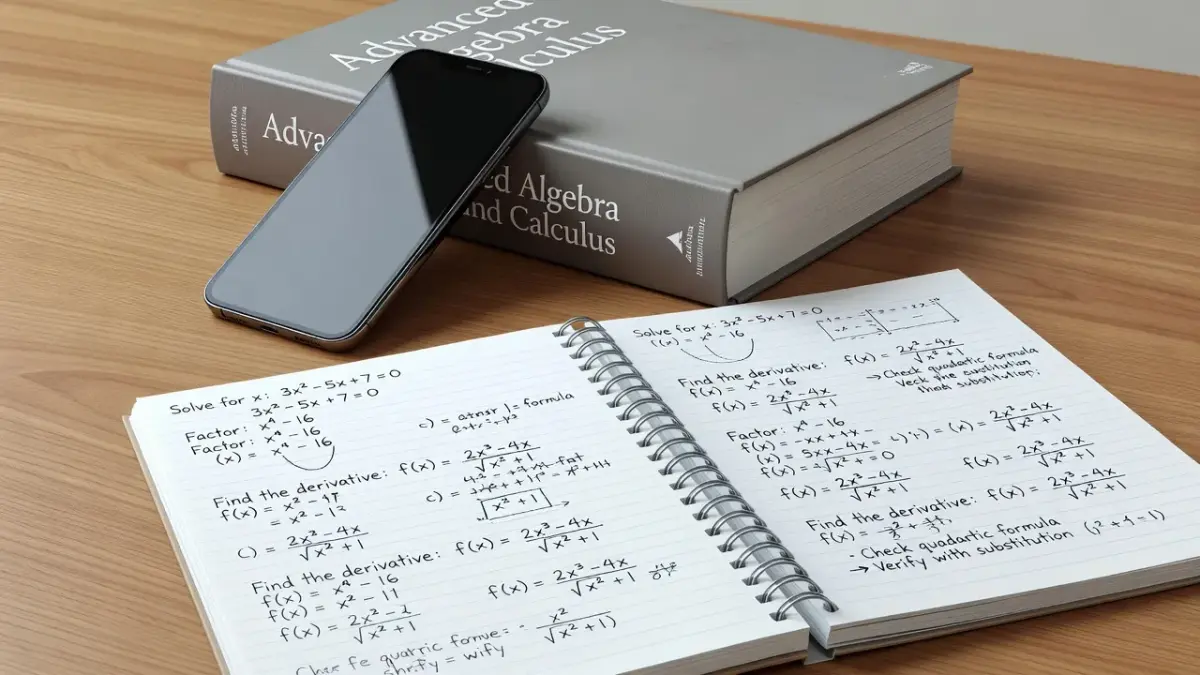
Teachers frequently recommend Photomath for middle school and high school algebra students who need visual, step-by-step geometry and arithmetic breakdowns. Educators appreciate Photomath's animated step animations, which illustrate how numbers move across equation signs.
However, high school teachers caution that relying on camera scanning without reviewing the intermediate logic leads to poor performance on handwritten exams. Teachers recommend using Photomath strictly to verify homework answers after making an initial manual attempt.
Do teachers recommend Symbolab's step-by-step solutions?
STEM instructors often recommend Symbolab for high school calculus and linear algebra because its step explanations highlight specific algebraic identities. Symbolab shows clear intermediate steps for matrix multiplication, trigonometric integrations, and series convergence tests.
Teachers note that Symbolab's interface makes it easy for students to identify where an algebraic distribution error occurred in their homework. The platform works best as a desktop checking tool during late-night study sessions.
Is Wolfram Alpha a good replacement for Microsoft Math Solver?
Wolfram Alpha replaces Microsoft Math Solver well for typed problems, but its step-by-step solutions need Pro, and Math Solver showed them for free. Microsoft retired Math Solver on July 7, 2025, so the app and its website are gone, even if a teacher's old resource list still names it.
Math Solver was free, read a photo of a handwritten problem, and showed every step.
Honestly, for harder math Wolfram Alpha is the better tool anyway: exact symbolic answers, differential equations, matrices. The free version still gives you the final answer; the steps are what you pay for.
So it depends on how you used Math Solver. If you typed equations on a laptop to check your answers, Wolfram Alpha's free version does that job. If you photographed worksheets, ThinkAssist does that job on iPhone and iPad, and it explains how it got each answer.
The other replacements, free and paid, are compared in the guide to math solver apps.
Do teachers recommend ChatGPT for step-by-step math solutions?
Teachers recommend ChatGPT for conceptual math explanations and word problem breakdowns, but warn against using standard LLMs for complex arithmetic calculations. Large language models predict the next text token rather than executing strict mathematical algorithms, which can lead to calculation errors in multi-step arithmetic.
Teachers suggest using ChatGPT to explain why a math theorem works or to rephrase difficult textbook definitions. For exact calculations, educators advise pairing AI text models with dedicated computational engines or checking tools. Students seeking broader options can explore our overview of the best AI homework helper apps for multi-subject assignments.
What is the academic honesty guidance for students using math solvers?
Academic honesty guidelines at high schools and universities permit using math solvers to check completed work and clarify stuck steps, but prohibit copying generated answers directly onto graded assignments. Submitting computer-generated steps as your own work violates honor codes at most educational institutions.
The MIT Academic Integrity Guide emphasizes that all submitted academic work must reflect a student's personal understanding. To stay compliant with school policies, follow these ground rules:
- Attempt every problem on paper before entering it into a solver.
- Use step-by-step views only after getting stuck on a specific algebraic transformation.
- Read the underlying rule explanation rather than memorizing the line sequence.
- Write down the final solution in your own words without copying computer notation verbatim.
Comparing homework solver options for student study needs
Selecting the right homework helper depends entirely on whether your priority is desktop symbolic engine power, camera scanning ease, or subject study organization. As checked in late 2026, the table below compares major student math solvers across typical study scenarios.
| Study Scenario | What the Student Needs | Pricing Model | Best Fit Tool & Unique Capability |
|---|---|---|---|
| University STEM Computation | Deep symbolic calculus, physical constants, chemical data | Free basic; Pro at $5.00/mo (billed annually) or $7.50/mo | Wolfram Alpha Pro: Computes exact symbolic equations and queries vast expert curated databases. |
| Quick High School Math Solving | Basic step-by-step algebra graphing and worksheet assistance | Free basic; paid upgrade for full steps | Mathway / Symbolab: Provides rapid algebra step solutions for focused textbook problem sets. |
| Mobile Photo Capture & Organized Prep | Fast iOS camera scans across all subjects with auto study guides | Free download; $6.99/wk or $29.99/yr after free trial | ThinkAssist: Scans printed or handwritten problems on iOS in 2 to 4 seconds and automatically organizes every answer into searchable subject study guides for test prep. |
| Conceptual Math Explanations | Natural language text breakdown of word problems and theorems | Free access; $20/mo premium tier | ChatGPT: Generates conversational context explanations for complex word problem logic. |
When photo scanning and subject study guides matter more than desktop computation
While Wolfram Alpha dominates complex desktop data queries, mobile students often need an immediate photo-based solver that helps them organize daily coursework. Typing long multi-line equations into a web browser on a phone screen can be slow and error-prone during busy homework sessions.
This single workflow bottleneck is where ThinkAssist shines for iPhone and iPad users. Instead of manually retyping complex formulas, you snap a photo of any printed assignment page or handwritten notebook problem to receive an instant step-by-step solution.
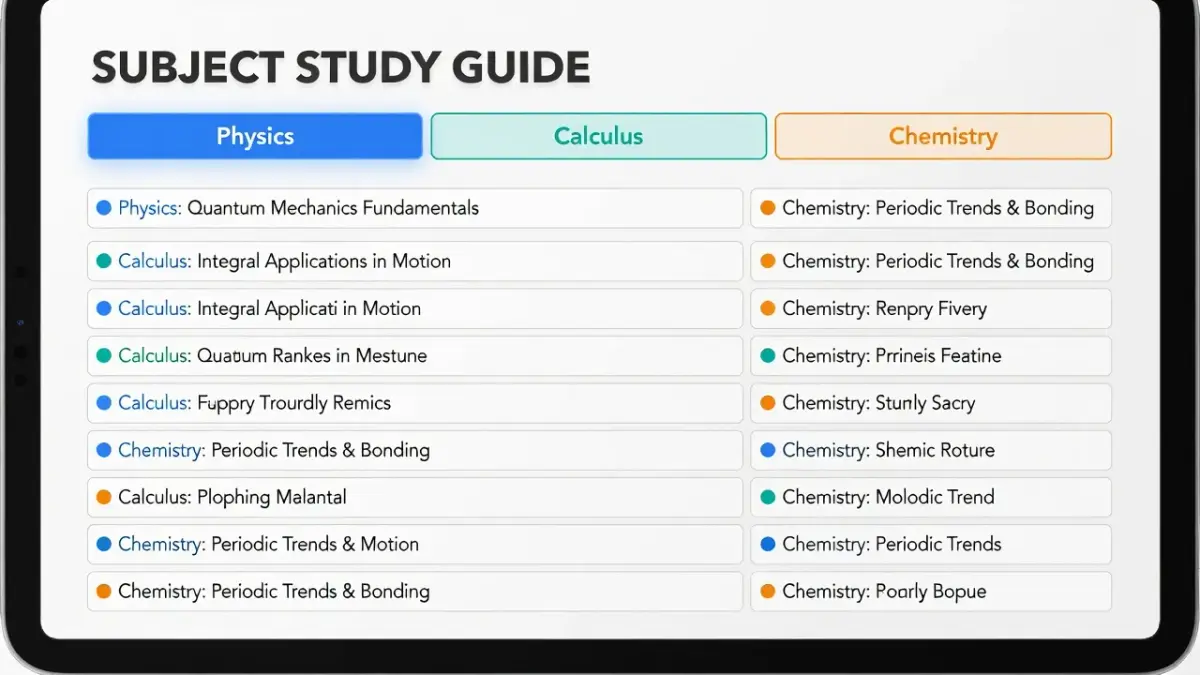
ThinkAssist handles daily homework routines through specialized iOS features:
- Instant iOS Camera Scanning: Capture printed textbook problems or clear handwritten math in seconds without navigating multi-tiered menus.
- Automatic Subject Organization: Every solution is automatically categorized with subject tags (like AP Physics, Chemistry, or Calculus), turning your past questions into a searchable study guide for final exams.
- Interactive Chat Follow-Ups: If a particular algebraic step seems confusing, open an inline chat right below the answer to ask follow-up questions until the logic makes sense.
- Textbook Formatted Math: Equations, fractions, chemical bonds, and square roots render cleanly in textbook-style typography.
- Offline Reading: Saved study guides open offline so you can review previous homework sets right before entering the exam room.
If you are looking for an iOS tutor to handle daily problem scanning and turn homework into study guides, ThinkAssist is free to download on the App Store with flexible weekly ($6.99/week after a 3-day trial) and annual ($29.99/year after a 7-day trial) plans.
Frequently Asked Questions
What is the Wolfram Alpha step by step cost for students?
Wolfram Alpha Pro costs $5.00 per month for students when billed annually ($60.00 per year) or $7.50 per month on a month-to-month subscription. According to the official Wolfram Alpha Student Pro pricing page, verifying student status unlocks step-by-step solutions, practice problem sets, file uploads, and increased computational timeout limits.
How do Wolfram Alpha app reviews rate the mobile experience?
Wolfram Alpha mobile app reviews average around 4.5 out of 5 stars on major app stores, with users praising computational accuracy while noting keyboard interface friction. Students appreciate having the full power of the Mathematica computation engine on mobile devices, though retyping long math expressions on a smartphone screen remains slower than camera scanner apps.
What key Wolfram Alpha app features help with student homework?
Key Wolfram Alpha app features include step-by-step math breakdowns, unit conversion engines, interactive 2D and 3D plotting, computational chemistry solvers, and reference constant lookup. The app allows students to query complex scientific data using plain text entries, making it a powerful reference tool for engineering and physical science courses.
Is the Wolfram Alpha subscription price worth it for high school students?
A Wolfram Alpha subscription is generally worth the cost for college STEM majors, but may be unnecessary for high school students taking standard algebra. High school students can often meet their study needs using free tools or mobile camera scanners, whereas college students taking multivariable calculus, linear algebra, or thermodynamics rely heavily on Wolfram Alpha Pro features.
Can I get Wolfram Alpha step by step paid features for free?
You cannot get official Wolfram Alpha step-by-step paid features for free on the primary web app without a Pro subscription. However, the standard free web search still provides final answers, plots, and alternative form representations, which allow students to verify their manual calculations without seeing intermediate steps.
Why is Wolfram Alpha considered an essential student tool for STEM majors?
Wolfram Alpha is an essential student tool for STEM majors because it handles exact symbolic math calculations that standard scientific calculators cannot process. It evaluates symbolic derivatives, computes matrix inverses, solves differential equations, and displays physical chemistry data instantly, saving university students hours during advanced coursework research.
How does camera scanning compare between desktop solvers and iOS apps?
Desktop solvers require typing or using formula builders, whereas mobile iOS solvers allow students to snap a photo of handwritten problems for instant answers. Photo-based apps streamline daily homework capture, while desktop engines provide deeper computational depth for advanced research queries. For students who want to explore more options, our guide on how to take a picture of homework and get answers compares the top camera apps for homework.