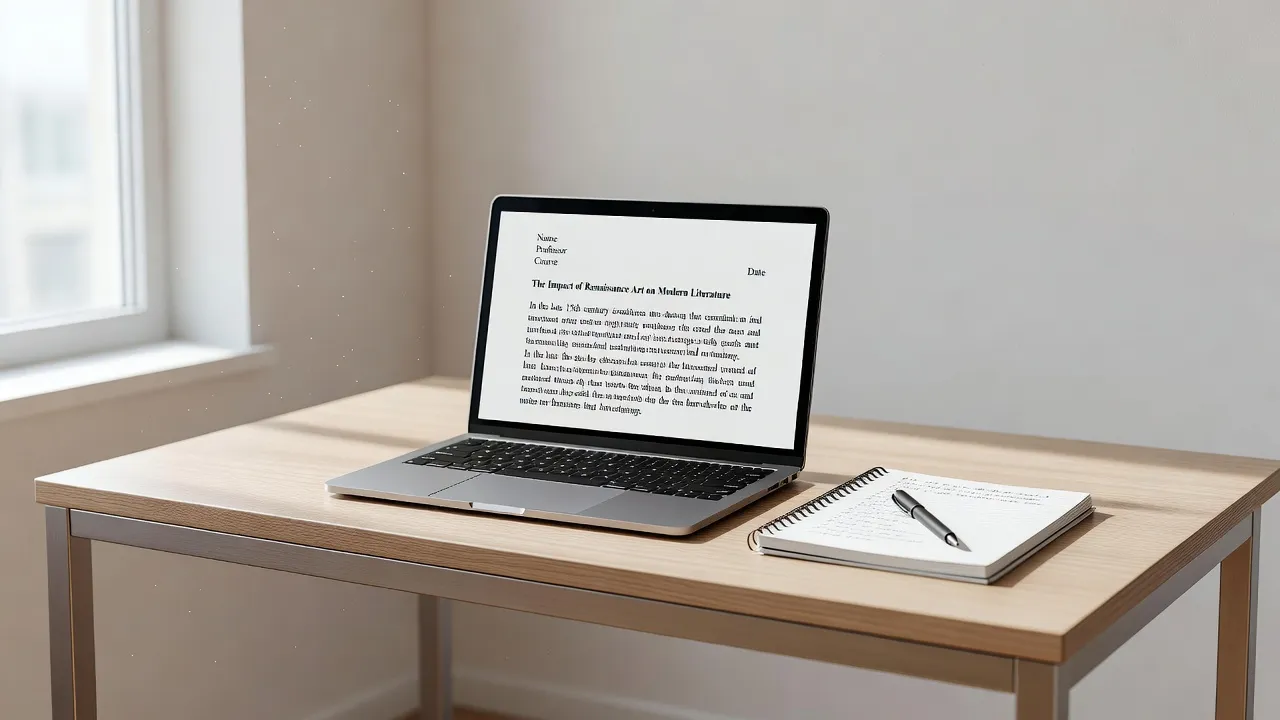
Formatting an MLA essay requires configuring 1-inch margins, a 12pt standard font, double-spacing throughout, a four-line identification header, top-right running headers with page numbers, and a dedicated Works Cited page, which takes about 30 to 45 minutes to set up correctly. Following a real mla essay example helps you avoid costly formatting errors that lower your grade. Whether you write in Google Docs or Microsoft Word, mastering these mechanics ensures your paper meets official academic standards.
To help you draft and format your paper quickly, this guide breaks down every structural requirement step-by-step. If you are balancing multiple writing tasks, reviewing a 5-paragraph essay writing outline alongside an mla format example essay provides a clear framework before you begin citing sources.
MLA Formatting Requirements at a Glance
The following table summarizes the key structural settings required for every MLA paper. Setting up these parameters before typing saves significant re-formatting time later.
| Setup Step | Specific Requirement | Standard Tool / Location | Realistic Setup Time |
|---|---|---|---|
| Document Margins | Exactly 1 inch on top, bottom, left, and right sides | Page Setup / Layout Menu | 2 minutes |
| Typography & Spacing | 12pt Times New Roman (or equivalent legible font), 2.0 double spacing, zero extra line padding | Paragraph Formatting | 2 minutes |
| Identification Header | First page only: Student Name, Instructor, Course, Date (Day Month Year) | Top Left Body Text | 3 minutes |
| Running Header | Last name followed by page number (e.g., Smith 1) aligned right | Header Area (0.5 inch from top) | 5 minutes |
| Paragraph Indentation | First line of every paragraph indented 0.5 inches (1/2 inch) | Tab key or Ruler Indent Marker | 1 minute |
| Works Cited Page | Hanging indent of 0.5 inches, alphabetical order by author's last name | Hanging Indent Formatting | 15 minutes |
Is there a Purdue OWL MLA sample paper for the 8th edition?
Yes, the Purdue Online Writing Lab (OWL) maintains archived sample papers for the MLA 8th edition, though most institutions now require the 9th edition rules updated in 2021. While the 8th edition introduced the core container framework for citations, key adjustments were made in the subsequent update.
The Purdue Online Writing Lab provides accessible PDF downloads of historical sample papers for students referencing older course guidelines. However, if your instructor asks for current guidelines as of October 2026, you should default to 9th edition conventions. The main differences lie in expanded rules for digital media, social media posts, and inclusive language guidelines.
Is there an MLA 9 sample paper PDF from a university writing center?
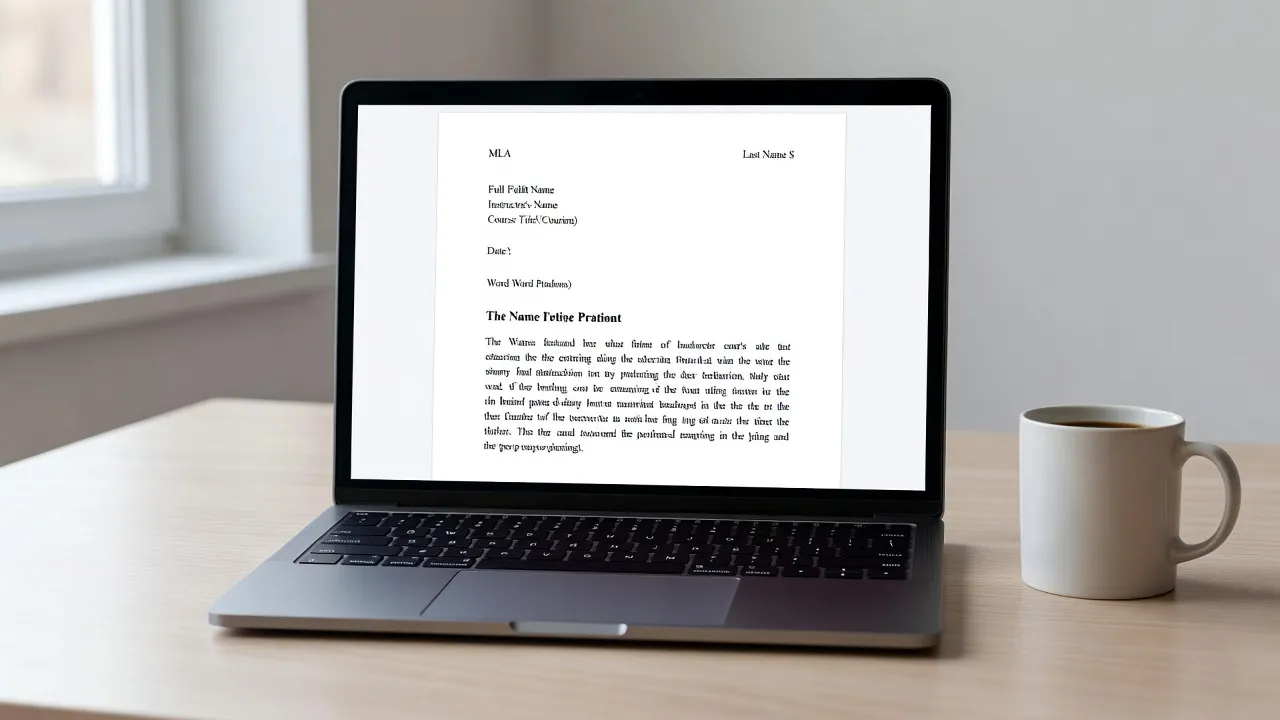
Yes, major university writing centers publish downloadable MLA 9 sample paper PDFs that illustrate proper document geometry, heading alignment, and source integration. These sample PDFs serve as visual templates for undergraduate and graduate writing.
For instance, the Harvard College Writing Center offers comprehensive guides on essay structure and citation styles. University sample papers typically include callout annotations in the margins that explain why specific lines are formatted a certain way. Reading an annotated sample PDF prevents common mistakes like manual double-space keying or incorrect page number placement.
Is there a Purdue OWL MLA 9 sample paper PDF template?
Yes, Purdue OWL provides a fully annotated MLA 9 sample paper PDF template that demonstrates complete document formatting from title page to Works Cited. This template functions as the benchmark standard across American high schools and colleges.
The official Modern Language Association style guide forms the foundation for these templates. In the Purdue OWL MLA 9 template, you can see exact visual examples of block quotes, tables, content footnotes, and multi-author citations. Downloading this PDF template allows you to cross-check your finished layout side-by-side before submitting your assignment.
Step 1: Set up document margins and line spacing
To format document margins and spacing correctly, set all four margins to 1.0 inch and configure the line spacing setting to exactly 2.0 double-spacing with zero added space after paragraphs. Default word processor settings often add invisible 8pt or 10pt spaces after hitting the Enter key, which violates MLA standards.
Configuring Page Margins
Open your word processor's Page Setup or Layout tab. Select the standard 1-inch (2.54 cm) margin option on all sides. Do not adjust the left or right margins to make your essay appear longer, as instructors immediately spot altered line widths.
Setting Line Spacing
Highlight your entire document or change your default document style to double-spaced. In Microsoft Word or Google Docs, navigate to the line spacing menu and select Double. Crucially, open the paragraph options and set both "Before" and "After" spacing values to 0 pt.
- Margin Check: 1 inch (Top, Bottom, Left, Right).
- Font Selection: 12pt Times New Roman, Arial, or Georgia.
- Spacing: 2.0 double-spaced throughout the entire paper.
- Paragraph Spacing: Remove all additional space before or after paragraphs.
Step 2: Create the standard MLA four-line heading and title
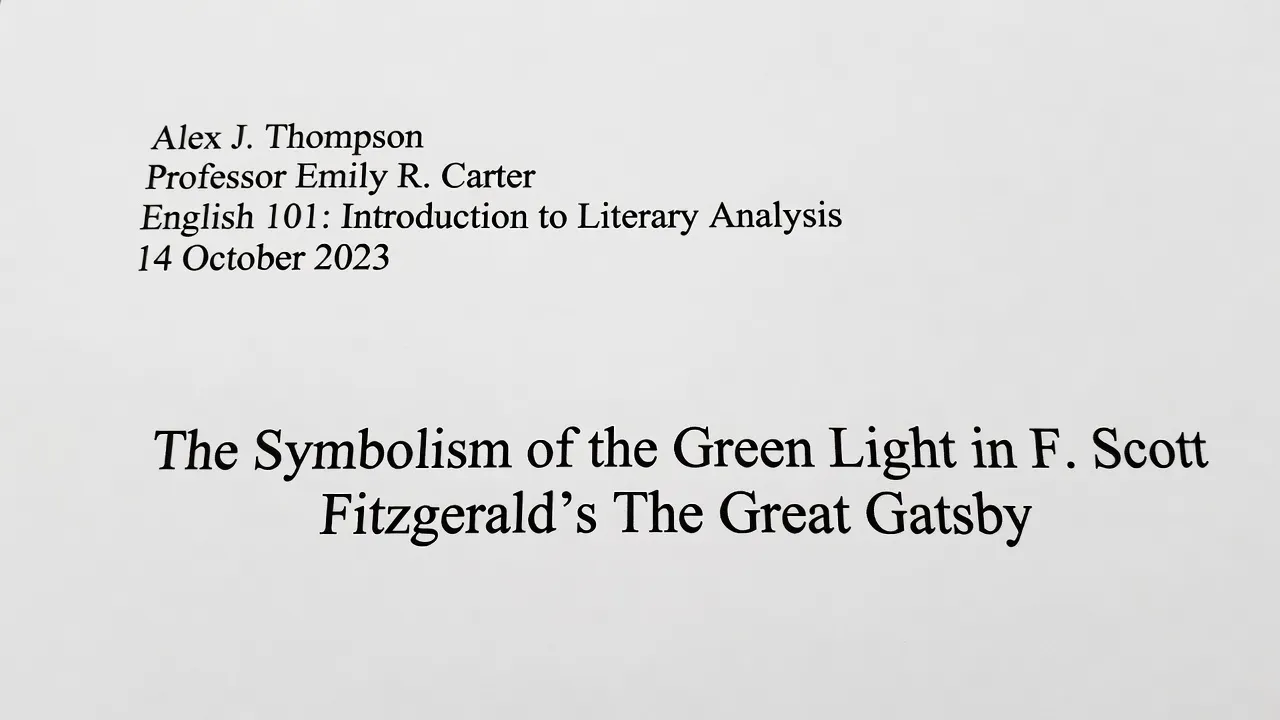
An MLA style paper does not require a separate title page unless explicitly requested by your instructor; instead, it begins with a four-line heading in the top-left margin. This four-line block sits directly in the main body area of the first page, single-spaced at 2.0 line interval like the rest of your text.
The Four-Line Heading Structure
Place cursor on the first line of page 1, left-aligned. Type the following four pieces of information on separate lines:
- Your Full Name (First and Last name)
- Instructor's Name (e.g., Dr. Jane Doe or Professor Smith)
- Course Name and Section Number (e.g., English 101-04)
- Assignment Submission Date in Day Month Year format (e.g., 14 October 2026)
Formatting the Title
Hit Enter once after the date to move to the next line. Center-align the text and type your essay title. Do not bold, underline, italicize, or enclose your title in quotation marks unless it contains the title of another published work. Use standard title capitalization rules for all major words.
Alex Johnson
Professor Davis
English 201: Literary Analysis
14 October 2026

The Symbolism of Light in Modern American Fiction
If you are writing a synthesis essay example or a literary analysis, your title should directly reflect your central thesis rather than using generic labels like "Essay 1."
Step 3: Configure running headers and page numbers
A running header in MLA style consists of your last name followed by a single space and the page number, located 0.5 inches from the top edge of every page, right-aligned. Never type page numbers manually into the body text, as manual numbers will shift across pages as you edit.
Johnson 1
Inserting the Header in Microsoft Word or Google Docs
- Double-click the top margin area of your document to open the Header area.
- Select Insert Page Number and choose the Top Right position.
- Place your cursor immediately to the left of the generated number.
- Type your last name and press the spacebar once.
- Highlight the header text and change the font to match your body text (e.g., 12pt Times New Roman).
As of October 2026, automated header formatting features in modern word processors make this process straightforward, but default font mismatches remain a common point deduction on student papers.
Step 4: Format in-text parenthetical citations
In-text MLA citations require the author's last name and the specific page number enclosed in parentheses immediately following the cited material, placed before the sentence period. This author-page citation system directs readers straight to the corresponding source entry on your Works Cited list.
Basic Parenthetical Citation Examples
When citing direct quotes or paraphrased ideas, integrate the reference smoothly into your sentence structure.
- Standard Citation: Reading literary works enhances narrative comprehension across diverse text types (Smith 45).
- Signal Phrase Citation: According to Smith, literary analysis improves critical evaluation skills (45).
- Two Authors: Recent studies show consistent cognitive benefits (Miller and Davis 102).
- Three or More Authors: Complex dataset analyses require standardized citation models (Taylor et al. 88).
If you need fast assistance verifying your research formatting, writing structure, or citation accuracy, using an AI tool can save hours during late-night study sessions. The ThinkAssist AI homework solver app provides step-by-step explanations and instant problem assistance across academic subjects. Available to test with a 3-day free trial (and $6.99/week thereafter), ThinkAssist on the App Store helps students break down complex assignment requirements, draft outlines, and verify homework solutions 24/7.
If your assignment involves narrative structures rather than formal research papers, reviewing narrative essay examples can help you master tone transitions while preserving academic discipline.
Step 5: Build a perfectly formatted Works Cited page
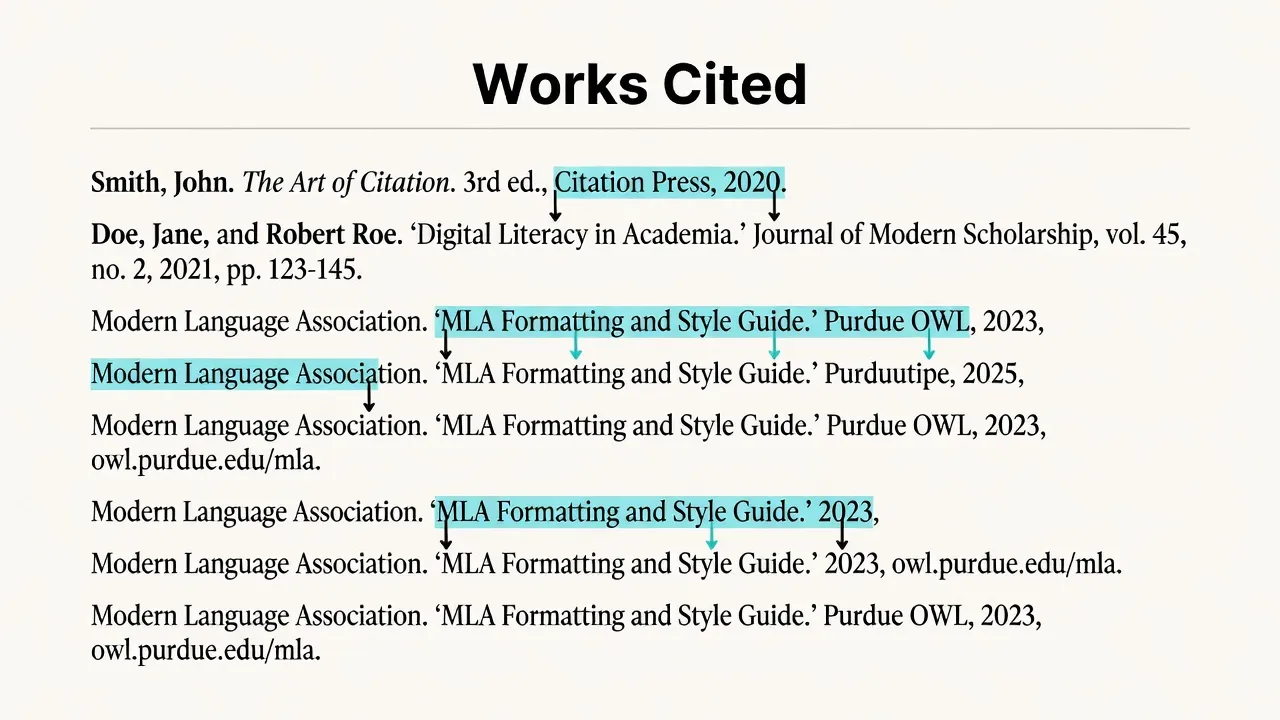
The Works Cited page begins on a separate page at the end of your essay, retaining your running header, double-spacing, and 1-inch margins while applying a 0.5-inch hanging indent to every entry. Entries are ordered alphabetically by the author's last name or by title if no author is listed.
Setting Up a Hanging Indent
A hanging indent ensures the first line of a citation starts at the left margin while subsequent lines are indented 0.5 inches. In Google Docs or Microsoft Word, select your citation text, navigate to Paragraph Options / Special Indent, and select Hanging.
Formatting Common MLA 9 Source Entries
Book with One Author
García Márquez, Gabriel. One Hundred Years of Solitude. Translated by Gregory Rabassa, Harper Perennial, 2006.
Scholarly Journal Article with DOI
Lee, Christopher. "Digital Humanities and Modernist Poetics." Journal of Modern Literature, vol. 44, no. 2, 2021, pp. 34–52. JSTOR, https://doi.org/10.2979/jmodlite.44.2.03.
Page on a Website
Modern Language Association. "MLA Style Center." MLA, 2026, https://style.mla.org. Accessed 10 Oct. 2026.
Using ThinkAssist to Audit Your Essay Format and Citations
Checking an essay against rigid MLA criteria requires careful attention to detail, but automated tools help streamline the revision process. After drafting your paper, verifying your structure using helpful study applications prevents submission errors.
The ThinkAssist application allows students to snap a photo of essay guidelines, math problems, or complex analytical prompts to receive immediate step-by-step explanations. By using auto subject detection, ThinkAssist acts as a 24/7 personal tutor for test preparation and daily homework auditing.
- Snap a Photo: Capture written prompts or complex assignment requirements instantly.
- Step-by-Step Explanations: Get clear structural breakdowns to improve thesis clarity and research organization.
- Save Past Answers: Store essay outlines and study explanations directly inside the app for seamless exam review.
Downloading ThinkAssist for free gives you a 3-day free trial ($6.99/week afterward) to elevate your academic workflow across subjects.
Formatting Pitfalls That Cost Points (Seed 5 Emphasis: Limits and Traps)
Even when students follow general layout rules, specific micro-formatting limits frequently cause lost points. Understanding these strict constraints keeps your mla format example essay fully compliant.
1. The Manual Spacing Trap
Adding extra carriage returns (pressing Enter twice) between paragraphs or before section headings violates MLA guidelines. MLA papers maintain uniform 2.0 double-spacing throughout the entire file.
2. Header Placement Errors
Placing the running header inside the regular body text instead of the actual Header zone shifts your page numbers down into the body of your paper. Make sure your header sits exactly 0.5 inches from the top margin.
3. URL and Hyperlink Formatting
In MLA 9, live blue underlined URLs should generally be converted to plain text or standardized black text without underline unless your instructor requests hyperlinked PDFs. Always omit http:// or https:// prefixes if required by your instructor's specific syllabus, though full URLs remain default practice in digital submissions.
4. Incorrect In-Text Citation Punctuation
Placing periods inside parenthetical citations is one of the most common errors. The period belongs after the closing parenthesis, not inside the quote or before the author's name.
- Incorrect: "Quote here." (Smith 12.)
- Correct: "Quote here" (Smith 12).
Practical Checklist for MLA Formatting
Before submitting your final paper, run through this final pre-submission audit:
- Margins: Are top, bottom, left, and right margins all set to exactly 1.0 inch?
- Running Header: Does your last name and page number appear on every page in the top-right corner?
- Identification Block: Is your 4-line header on page 1 only, aligned to the left margin?
- Title: Is your title centered, written in standard title case, without bolding or quotes?
- Spacing: Is the document entirely double-spaced with 0 pt extra paragraph spacing?
- Indents: Is the first line of every body paragraph indented 0.5 inches?
- Citations: Does every quotation or paraphrase have a matching parenthetical citation?
- Works Cited: Is the final page titled "Works Cited" (centered), alphabetized, with hanging indents applied?
For more foundational writing strategies, explore our practical guide on general writing tips to refine your drafting habits before your next major paper deadline.
Frequently Asked Questions
Does an MLA essay need a cover page?
No, standard MLA format does not require a title or cover page. You include a four-line identification header on the top left of the first page instead, unless your professor explicitly demands a separate cover page.
How do I format long block quotes in MLA style?
Quotations that exceed four lines of prose or three lines of verse must be set off as a block quote. Indent the entire block 0.5 inches from the left margin, maintain double spacing, omit quotation marks, and place the parenthetical citation after the period.
What is the default font size for an MLA paper?
The standard font size for MLA format is 12-point font. Times New Roman is the traditional standard, but modern guidelines allow clear, legible alternatives like Arial or Georgia if maintained consistently.
Are foot notes allowed in MLA 9 format?
Yes, MLA allows bibliographic notes and content footnotes. Footnotes should be numbered sequentially in the text using superscript numbers, with corresponding single-spaced notes placed at the bottom of the page or on an Endnotes page.
Should the Works Cited page be numbered?
Yes, the Works Cited page continues the sequential page numbering of your essay. If your essay ends on page 5, your Works Cited page begins on page 6 with your running header (e.g., Smith 6).
How do I cite a source with no author in MLA?
When a source lacks an author, use the shortened title of the work in your in-text parenthetical citation. Enclose article titles in quotation marks or italicize book titles (e.g., ("Global Warming Trends" 14)).
Is Purdue OWL updated for MLA 9th edition?
Yes, Purdue OWL maintains updated formatting resources, sample paper PDFs, and citation entry rules reflecting the MLA 9th edition guidelines published in 2021.