

To make an effective study guide, condense your course materials into an active recall blueprint by organizing key concepts, generating self-testing questions, and pairing diagrams with explanations across five clear steps. You can build a complete study guide in about two hours for a single unit or five hours for a full-semester final exam. While manually organizing your class notes builds foundational understanding, converting complex textbook diagrams or multi-step math problems into clear study sheets can be tedious. The ThinkAssist iPhone app allows students to snap photos of handwritten assignments or practice problems to extract step-by-step explanations directly into their prep workflows. You will still need to verify your course syllabus to ensure every required topic is covered.
Making a Study Guide at a Glance
| Step | Core Focus | Estimated Time | Key Tools & Requirements |
|---|---|---|---|
| 1. Resource Audit | Gather lecture notes, slides, and syllabus objectives | 20–30 mins | Class syllabus, binder, textbook |
| 2. Core Extraction | Pull high-yield terms, formulas, and major concepts | 45–60 mins | Highlighters, outline sheet |
| 3. Active Questioning | Convert passive statements into practice prompts | 45–60 mins | Index cards, Notion, or Anki |
| 4. Visual Formatting | Apply dual-coding layout (Cornell style or concept maps) | 30–45 mins | Grid paper, tablet app, or markdown editor |
| 5. Review Strategy | Schedule active recall testing over spaced intervals | 15 mins (setup) | Calendar app, spaced repetition software |
How do retrieval practice and spaced repetition apply to a study guide?
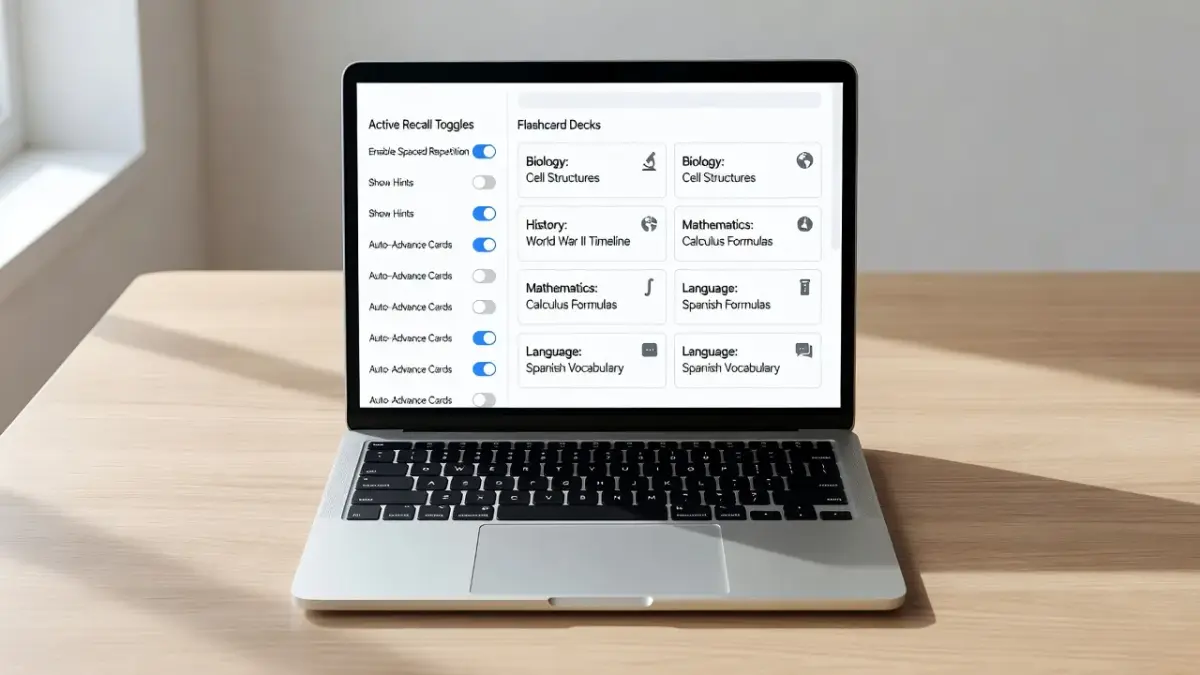
Retrieval practice and spaced repetition turn a static study guide into an active testing tool by forcing your brain to recall information at expanding time intervals. Merely re-reading highlighted notes creates an illusion of competence called the recognition heuristic. To convert passive notes into an active retrieval framework, every section of your guide must hide the answers behind flashcard folds, question columns, or digital toggles.
Spaced repetition relies on reviewing material right as your brain begins to forget it. According to research documented in the Wikimedia Foundation's overview of spaced repetition, repeating information over expanding intervals (such as 1 day, 3 days, 7 days, and 14 days) dramatically improves long-term memory retention compared to cramming.
If you design your guide purely as a giant wall of text, spaced repetition becomes impossible because you cannot isolate individual facts you got wrong. Build your study guide as discrete question-and-answer pairs so you can rate your confidence on individual topics and revisit weak spots systematically.
How do dual coding, elaboration, and interleaving improve a study guide?
Dual coding, elaboration, and interleaving improve a study guide by engaging multiple memory pathways, connecting new facts to prior knowledge, and preventing pattern recognition traps. Relying on plain text alone limits how your memory indexes information during an exam.
These three evidence-based learning strategies change how you structure your document:
- Dual coding: Pair text explanations directly alongside visual diagrams, flowcharts, or graphs. According to cognitive research published by the Cult of Pedagogy, combining visual and verbal representations gives your brain two distinct ways to pull up the material later.
- Elaboration: Write out why a principle works rather than just memorizing the rule. Instead of listing a formula, add a bullet point explaining what happens to the output when one variable increases.
- Interleaving: Mix related topics, formula types, or historical periods together within your practice problem sets. Studying five identical algebra problems in a row creates false confidence; shuffling three different problem types forces you to practice identifying which method to use.
What do teachers recommend for study guide format, such as Cornell notes or concept maps?
Teachers generally recommend structural formats that visually separate main ideas from self-testing cues, such as the Cornell Method or non-linear concept maps. The specific layout you choose should depend on whether your subject is hierarchy-heavy or connection-heavy.
The Cornell Note-Taking System splits your page into two vertical columns: a narrow 2.5-inch cue column on the left and a wider 6-inch note column on the right, with a summary box at the bottom. As detailed by the Cornell University Learning Strategies Center, this format naturally turns notes into a study guide because you can fold the page to cover the right side while testing yourself using the left cues.
Concept maps, on the other hand, work best for subjects like biology or history where understanding relationships between nodes is more critical than memorizing linear lists.
The page has two stacked sections. The top section has a cue column (2.5 in) on the left, beside a notes column (6 in) on the right, and each cue item sits in the same row as its note:
| CUE COLUMN (2.5 in) | NOTES COLUMN (6 in) |
|---|---|
| Key Questions | Detailed explanations |
| Primary Terms | Step-by-step processes |
| Formula names | Supporting evidence |
Below the cue and notes columns, a summary box (Bottom 2 in) spans the full width of the page: "Brief 2-sentence synthesis of the entire page's main point."
Step 1: Audit your syllabus and gather primary sources
Start your study guide by reviewing your course syllabus and instructor slides to define the exact scope of what will be tested. Collecting every piece of paper you owned this semester will overwhelm you.
Filter your materials down to three core items:
- The exam topic outline provided by your teacher.
- Lecture slides or primary reading notes where the instructor spent extra time.
- Past homework assignments and quizzes that reveal question styles.
Cross off topics on your syllabus that were marked as optional or excluded from the final. If you want a structured blueprint for exam season, check out our 7-step exam prep plan to coordinate your study schedule across multiple subjects.
Step 2: Extract key terms, formulas, and core concepts
Extract high-yield items from your notes into a master list of vocabulary, essential formulas, and core theories. Do not copy full textbook paragraphs word-for-word.
As of November 2026, most standardized AP exams and college midterms limit their questions to conceptual application rather than simple definition recall. For each term or formula you extract, capture three essential components:
- Definition or Formula: The precise rule or equation.
- Variable or Context Breakdown: What each symbol stands for or what historical event triggered the concept.
- Common Pitfalls: Tricky exceptions or sign errors your teacher specifically mentioned in class.
For example, when studying physics, listing an equation without its units or conditions leads to easy points lost on test day.
How ThinkAssist simplifies complex problem sets for study guides
ThinkAssist helps students build complete study guides by turning complex homework assignment photos into clear, step-by-step reference solutions. When you hit a wall trying to explain a difficult math problem or science derivation in your study guide, manual search can burn valuable time.
The app uses automatic subject detection to analyze handwritten or printed assignment questions instantly across multiple academic subjects.
THINKASSIST WORKFLOW
The steps run in order from left to right, each feeding into the next.
- Snap Photo, with the note "(Handwritten HW)" placed directly beneath it.
- Subject Detection
- Step-by-Step Logic, with the note "(Export to Study Guide)" placed directly beneath it.
By snapping a photo of a practice problem, you receive a full breakdown explaining the underlying steps. You can save past answers directly within the app, creating an organized, searchable library of solved practice problems to insert straight into your exam prep guides.

Step 3: Transform passive notes into active practice questions
Convert every summary statement in your guide into a direct question to force active cognitive engagement. Writing "Photosynthesis happens in the chloroplast" does not challenge your brain during revision.
Instead, write: "In which cellular organelle does photosynthesis occur, and what are its primary outputs?"
Use these formatting transformations to convert passive notes into active practice prompts:
- Passive: "The Treaty of Versailles was signed in 1919 and imposed heavy reparations on Germany."
- Active Prompt: "What year was the Treaty of Versailles signed, and what were its three primary financial impacts on Germany?"
- Passive: "$F = ma$ relates force, mass, and acceleration."
- Active Prompt: "How does doubling the mass of an object affect its acceleration if force remains constant?"
If you rely on physical index cards for this step, read our breakdown on whether study flashcards are still effective to decide between manual decks and automated digital apps.
Step 4: Format for visual clarity using dual-coding layout
Structure your guide visually using bold headers, two-column grids, and annotated diagrams so your eyes can quickly scan the page. Visual clutter increases cognitive load, making review sessions exhausting.
Limit your document design to two font families and three accent colors maximum. Use color strictly to categorize information, such as blue for vocabulary, green for formulas, and red for common exam traps.
In corporate finance or organic chemistry study guides, insert simple block diagrams or skeletal formulas next to the written rules.
GLYCOLYSIS SUMMARY
| Item | Value | Item | Value |
|---|---|---|---|
| Input | Glucose (6C) | Output | 2 Pyruvate (3C) |
| Energy Invested | 2 ATP | Net Yield | 2 ATP + 2 NADH |
| Location | Cytosol | Oxygen Required? | No |
Each row pairs the item on the left with the item on the right, joined by an arrow (===>) that points from the left item to the right item.
Step 5: Test yourself using spaced interval rounds
Use your completed study guide to run timed, closed-book self-testing sessions spread out over several days before your test. Creating the guide is only half the battle; testing yourself with it provides the actual score bump.
Cover the answer columns of your guide with a sheet of paper or use digital occlusion tools. Read each prompt out loud, write down your answer on scratch paper, and check your accuracy.
Mark questions you missed with a red star and repeat those specific items 24 hours later. To learn more about pacing your independent study sessions effectively, see our complete guide on what self-study is and how to master it.
What are the best tools for making study guides: Anki, Quizlet, Notion, or Obsidian?
The best tool for making a study guide depends on whether you prefer automated flashcard repetition or interconnected digital notebooks. Free open-source apps like Anki excel at spaced repetition, while structured databases like Notion or Markdown platforms like Obsidian suit deep conceptual notes.
System hardware limits and subscription paywalls ruling out certain software options should be considered:
- Anki: Best for long-term memorization (medical school, foreign language vocabulary). It uses a powerful open-source algorithm that schedules reviews automatically. Requirement: The desktop and Android versions are free, but the iOS app requires a one-time $24.99 purchase as of late 2026.
- Quizlet: Best for quick set generation and sharing with classmates. Limitation: Advanced features like offline access and AI-generated practice tests require a $35.99/year Quizlet Plus subscription.
- Notion: Best for all-in-one workspaces combining syllabus tracking, toggle lists, and embedded tables. Limitation: It requires an active internet connection to sync seamlessly on free accounts and lacks built-in spaced repetition algorithms.
- Obsidian: Best for privacy-focused students who want local Markdown text files and interactive node graphs showing connections between concepts. Limitation: Setting up multi-device synchronization requires technical setup or a paid Obsidian Sync tier ($4/month).

How do you use Notion for a study guide, including templates?
To use Notion for a study guide, build a page containing toggle lists for active recall and database properties to track your confidence levels. Toggle headings (/toggle) allow you to collapse the answer to any question, creating built-in flashcard functionality directly on your document.
Follow this setup structure when creating your Notion study page:
- Create a master page for your subject (e.g., "General Chemistry Final Prep").
- Insert a Database Table at the top with properties for Topic, Difficulty Rating (1–5), Last Reviewed Date, and Next Review Date.
- Below the table, create H2 headings for each unit and use Toggle Lists for every practice question.
- Place the answer, formula, or diagram inside the collapsed toggle block.
- Search Notion's free template gallery for "Active Recall Study Hub" to clone pre-built layouts instantly without building from scratch.
Master Study Database Table
| Topic Name | Difficulty | Last Reviewed | Next Review Date |
|---|---|---|---|
| Kinetics & Rates | ⭐⭐⭐ | Nov 2, 2026 | Nov 5, 2026 |
| Thermodynamics | ⭐⭐⭐⭐⭐ | Nov 4, 2026 | Nov 6, 2026 |
The following is a toggle heading titled "Unit 1 Practice Prompts (Toggle Heading)". Nested directly beneath it is a toggle labeled "Question: What is the first law of thermodynamics?". Nested beneath that question is an inside toggle labeled "[Inside Toggle]".
- Unit 1 Practice Prompts (Toggle Heading)
- Question: What is the first law of thermodynamics?
- [Inside Toggle]: Energy cannot be created or destroyed, only transferred.
- Question: What is the first law of thermodynamics?
How can ChatGPT and other AI tools be used to make a study guide?
ChatGPT and AI models can generate custom practice questions, simplify dense textbook paragraphs, and convert raw lecture outlines into practice tests. However, using AI to generate your study guide without human oversight introduces hallucinated facts and false confidence.
Prompts to paste into AI tools like ChatGPT or Claude when building study guides include:
- Practice Question Generator: "I am taking a college-level Introductory Sociology exam. Here are my lecture notes on structural functionalism [paste notes]. Generate 10 multiple-choice questions with answer explanations that test conceptual application."
- Analogy Builder: "Explain the process of cellular respiration using a daily commute analogy for a high school biology student."
- Summarization & Cue Extraction: "Read the text below and create a two-column table. Column 1 must contain short self-testing questions; Column 2 must contain the corresponding answers."
Always check AI outputs against your official class textbook. Large language models frequently confuse specific dates, formula signs, or course-specific definitions.
Frequently Asked Questions
How far in advance should I make a study guide?
You should begin drafting your study guide at least two weeks before a major exam. Adding to your guide weekly after each lecture prevents the stress of condensing a full semester's worth of notes in a single night.
How long should a good study guide be?
A good study guide should condense a single unit into 2 to 4 pages, or a full semester course into 10 to 15 pages. If your guide is longer than 15 pages, you are copying raw notes rather than synthesizing key concepts.
Should I handwrite or type my study guide?
Handwriting your study guide improves initial memory retention through tactile motor processing, making it ideal for math, chemistry, and physics diagrams. Typing is faster and better suited for heavy humanities subjects where digital searchability and formatting toggles save time.
How do I turn my notes into a study guide fast when pressed for time?
To create a rapid study guide, gather past quizzes and teacher lecture slides, copy the main headings into a document, and write one active practice question for each bullet point. Focus exclusively on topics you missed on previous assignments.
Are digital study guides better than paper study guides?
Neither medium is universally superior; digital guides offer easy editing, toggles, and multimedia embedding, while paper guides eliminate screen notifications and reduce visual eye strain during long study sessions.
Can I share study guides with classmates?
Yes, splitting a study guide among study group members saves time if every member is responsible for converting a specific unit into practice questions. However, ensure you personally test yourself on every section rather than just reading your peers' written work.
What is the biggest mistake students make when making a study guide?
The biggest mistake is spending 90% of available study time making the guide look aesthetically pleasing with colored markers or custom fonts, leaving zero time to actually practice recalling the information stored inside it.